
GPT Image 2 Prompt Guide: Examples, Testing and How to Use
Hello and welcome back to GPT Image 2 AI. As an AI technical writer and prompt engineer, I am genuinely humbled to share our latest findings with you. Over the past few weeks, our team has conducted extensive AI image generation tests to truly understand OpenAI's newest image model. GPT Image 2 is an extraordinary tool, but bridging the gap between a good image and a flawless masterpiece requires more than just basic keywords.
In this comprehensive GPT Image 2 Prompt Guide, we will respectfully share our first hand experiences, technical frameworks, and a library of tested prompts. Whether you are generating commercial assets or artistic concepts, these practical strategies will save you hours of trial and error.
How to Use GPT Image 2: A Quick Start Guide
If you've been wondering how to use GPT Image 2 without spending hours tweaking your words, we’ve created a seamless, beginner-friendly workflow for you. You don't need to be a prompt engineer to get stunning results right away. Here is the easiest way to start:
- Explore and Get Inspired: Head over to our curated collection at the GPT Image 2 Prompts Library.
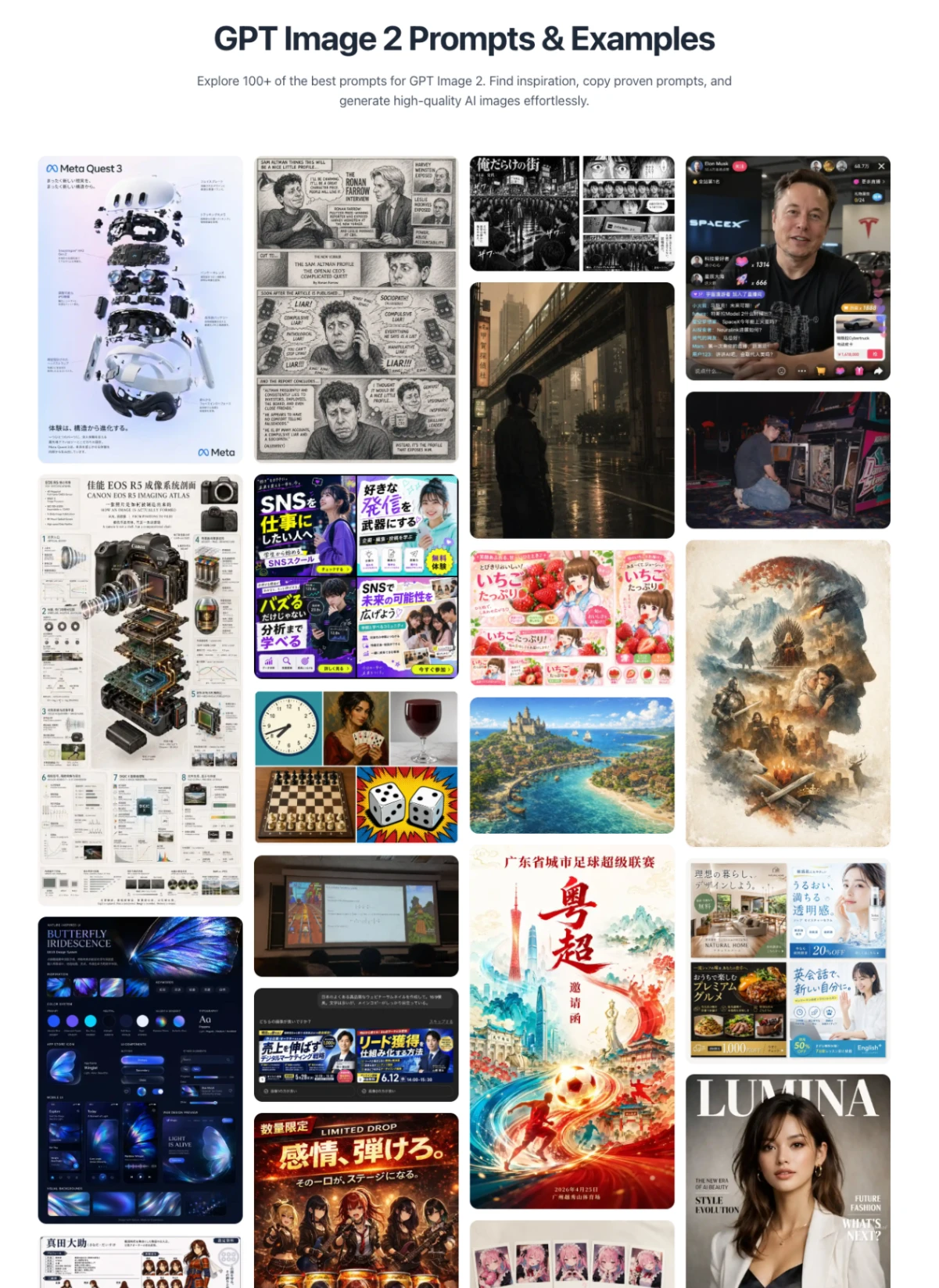
- Choose and Copy: Browse through various aesthetics and use cases. Once you find a style that fits your vision, simply copy the exact prompt text.
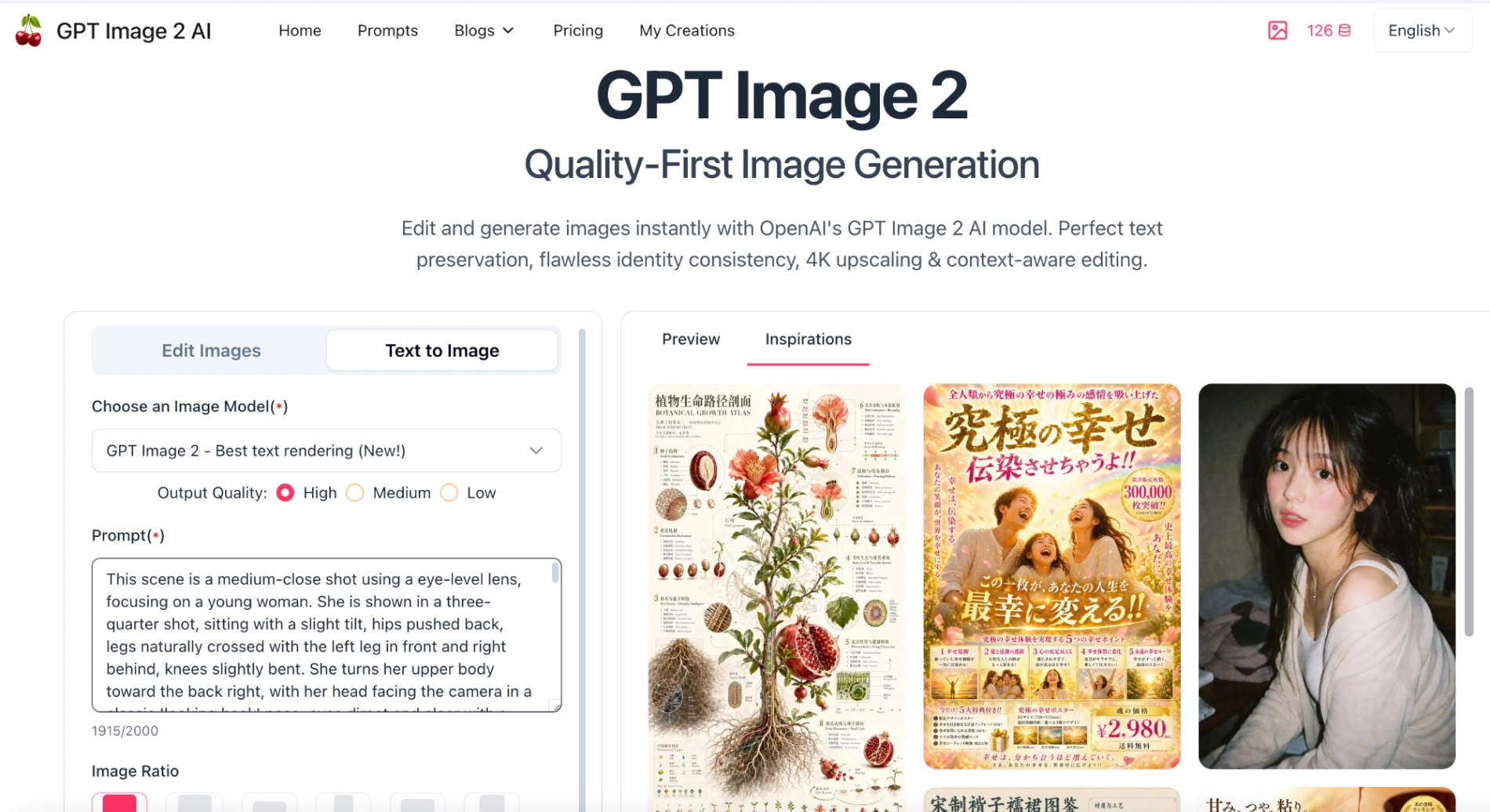
- Create Your Art: Go back to our main tool page at gptimg2ai.com, paste your copied prompt into the generation box, and let the AI bring your idea to life. It’s truly that simple!
The Technical Anatomy of a Perfect Prompt
Through our extensive testing, we discovered that GPT Image 2 processes language sequentially. This means the words at the very beginning of your prompt carry the absolute highest visual weight. If you bury your main subject at the end of a paragraph, the model often loses focus. We highly recommend structuring your prompts using this tested framework:
- Core Subject: The primary focus (such as a character or product).
- Subject Details: Clothing, materials, or specific textures.
- Action and Spatial Relationship: Exactly where the subject is positioned.
- Setting and Environment: Time of day and background elements.
- Lighting Setup: Specific light sources and color temperatures.
- Camera Specifications: Focal length and depth of field.
- Medium and Aesthetic: Art style or film stock.
- Constraints: Clear instructions on what to avoid.
First Hand Experience: Real World Troubleshooting
When I first started testing GPT Image 2, I frequently encountered issues with prompt drifting (where the AI ignores specific details) and lighting inconsistencies. Here are two common pitfalls we identified, along with our proven fixes.
Pitfall 1: Cluttered and Confused Backgrounds
Initially, asking for a "busy city street" resulted in messy, distracting backgrounds that overpowered the main subject.
The Fix: We learned to use photographic constraints. By adding the phrase "shallow depth of field", or "background heavily blurred to create soft bokeh", we immediately forced the model to separate the subject from the background.
Pitfall 2: Hallucinated Text
While GPT Image 2 is brilliant at typography, it sometimes adds random letters if left unchecked.
The Fix: Always enclose your exact wording in double quotes, and pair it with strict spatial directions. For instance, do not just say "make a neon sign". Instead, clearly state "A glowing red neon sign reading "Open", centered at the top of the window". (Notice how the comma is placed after the quotation marks, ensuring clean syntax!).
Advanced Strategies: Lighting and Materials
To elevate your images from amateur to professional, incorporating specific studio terminology makes a massive difference. During our commercial mockups, we found that specifying materials forces the AI to calculate proper light physics. Instruct the model to render "matte black silicone", or "brushed aluminum". If you are rendering liquids or glass, including the word "caustics" will reliably generate beautiful light reflections that bounce off transparent surfaces.
Beyond lighting and materials, mastering character consistency is a game-changer. If you want to keep a character looking identical across different scenes or a storybook, you must anchor their core details. Always repeat the exact description of their facial features, clothing, and color palette in every single prompt you use.
The Tested GPT Image 2 Example Library
Here is a curated collection of advanced prompt examples from our actual workflow. We have included notes on why they work, so you can easily adapt them for your own projects.
Category 1: Cinematic Portraiture
1. The Science Fiction Mechanic
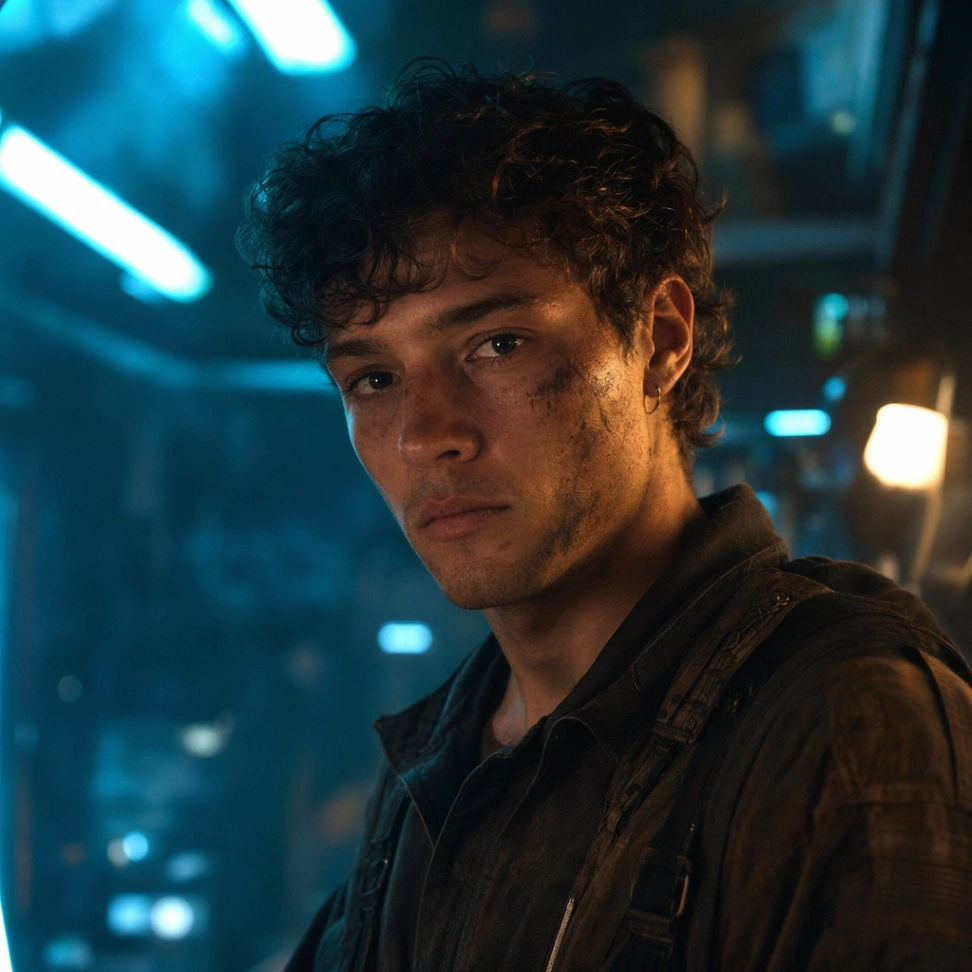
Prompt: A hyper realistic medium close up portrait of a tired mechanic inside a futuristic neon garage. The subject is a young man with oil smudges on his cheek, wearing a heavy canvas jumpsuit. He is illuminated by a harsh cyan rim light from the left and a soft warm tungsten key light from the right. The background is a deeply blurred workspace. Shot on 85mm lens, 35mm cinematic film stock, subtle film grain.
Why it works: The explicit contrast between the "cyan rim light" and the "warm tungsten key light" gives GPT Image 2 a precise physics based lighting setup to follow, creating instant cinematic drama.
Category 2: Commercial Product Photography
2. Luxury Skincare Mockup
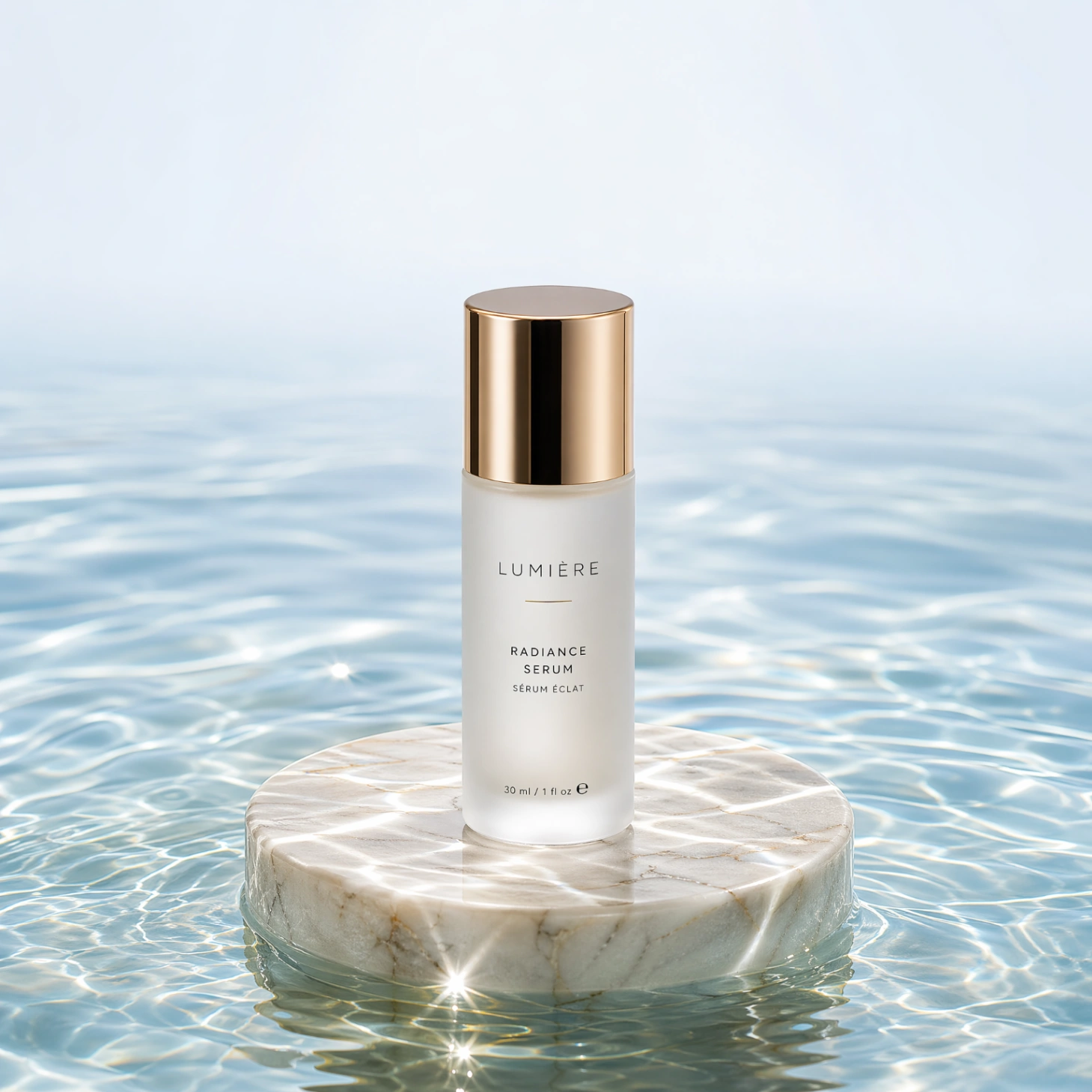
Prompt: A premium commercial hero shot of a cylindrical frosted glass skincare serum bottle. The bottle rests on a smooth marble pedestal half submerged in crystal clear rippling water. Bright natural studio lighting from directly above creates beautiful water caustics and sharp reflections. Centered composition, macro photography style, negative space at the top.
Why it works: Using terms like "frosted glass", "marble", and "water caustics" forces the rendering engine to process complex material interactions, resulting in a highly realistic commercial asset.
Category 3: Precision Image Editing
3. Seamless Background Replacement
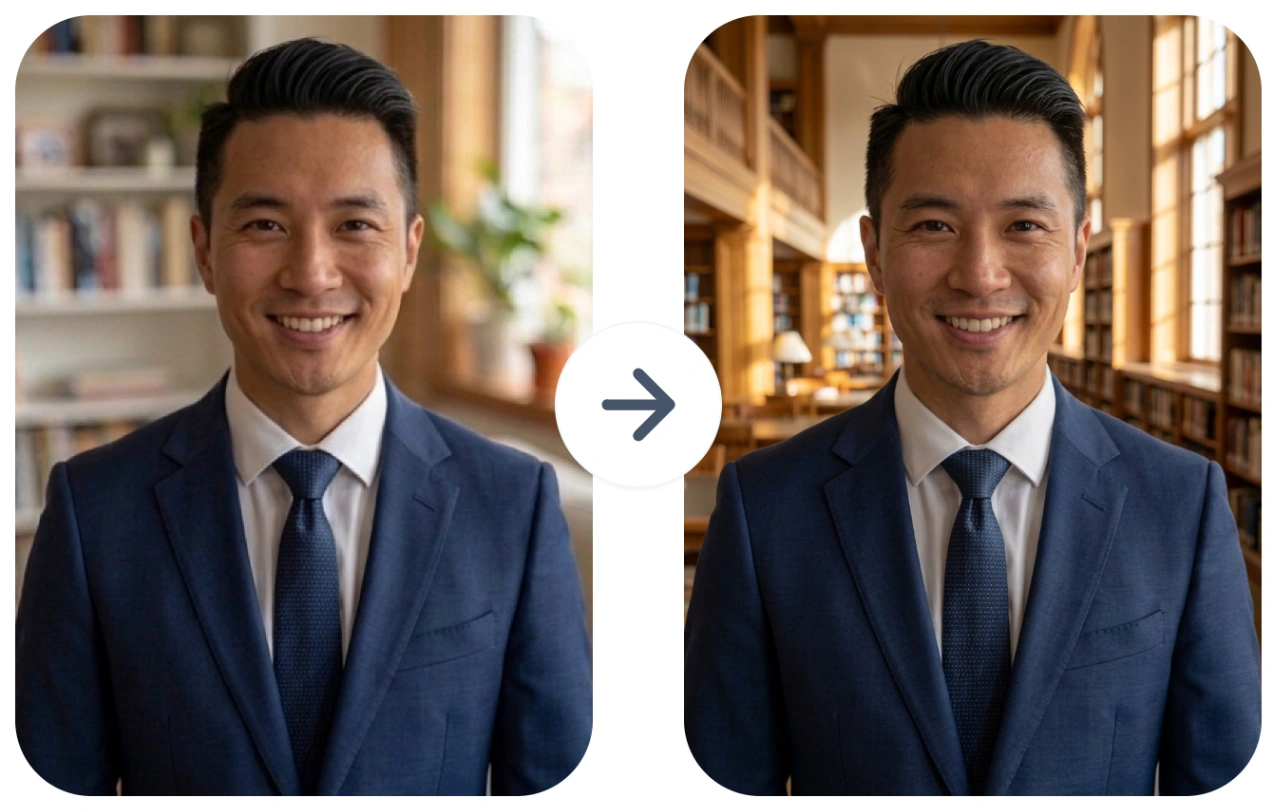
Prompt: Keep the subject's exact facial expression, the folds in their blue clothing, and the direction of the original shadows exactly as they are. Replace the background with a sunlit library. Ensure the new background matches the existing depth of field, and do not alter the subject's skin tone.
Why it works: By explicitly listing what to "Keep" before stating what to "Replace", you prevent the model from accidentally hallucinating new outfits or shifting the original lighting.
Category 4: Complex Typography Integration
4. The Modern Event Flyer
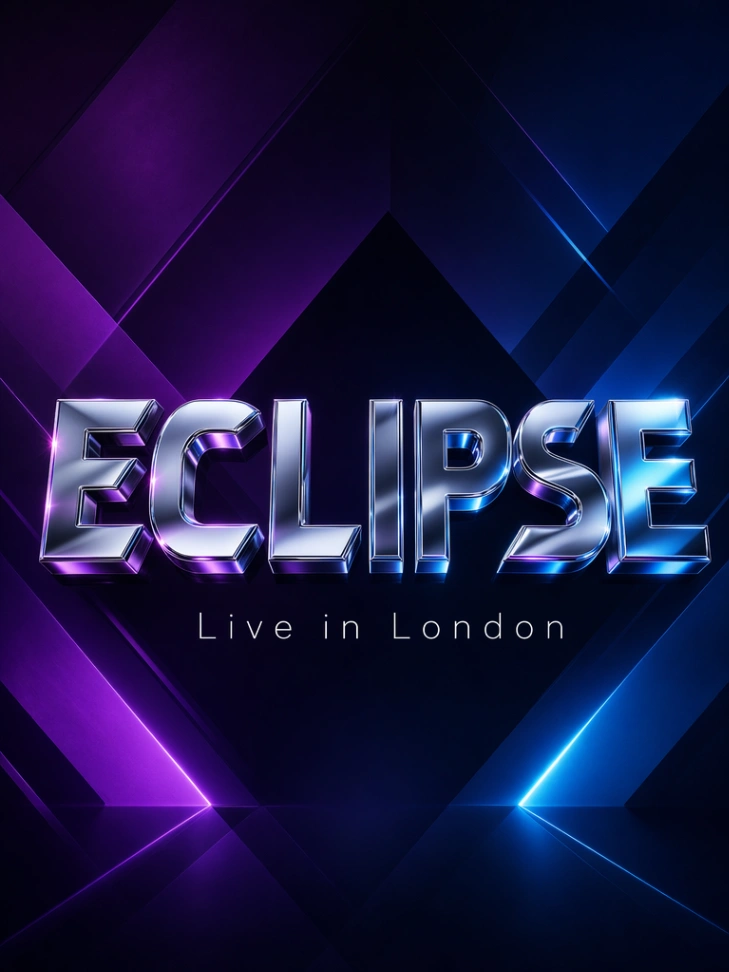
Prompt: A sleek modern electronic music festival poster. The background is an abstract dark geometric gradient featuring deep purples and neon blues. In the exact center, giant chrome 3D letters spell the word "ECLIPSE". Below the main title, clean minimalist white text reads "Live in London", in a thin modern sans serif font.
Why it works: Combining exact text in quotes with a defined font style ("thin modern sans serif") and a defined location ("exact center", "below the main title") gives you agency level control over the layout.
Category 5: Mobile UI Mockups
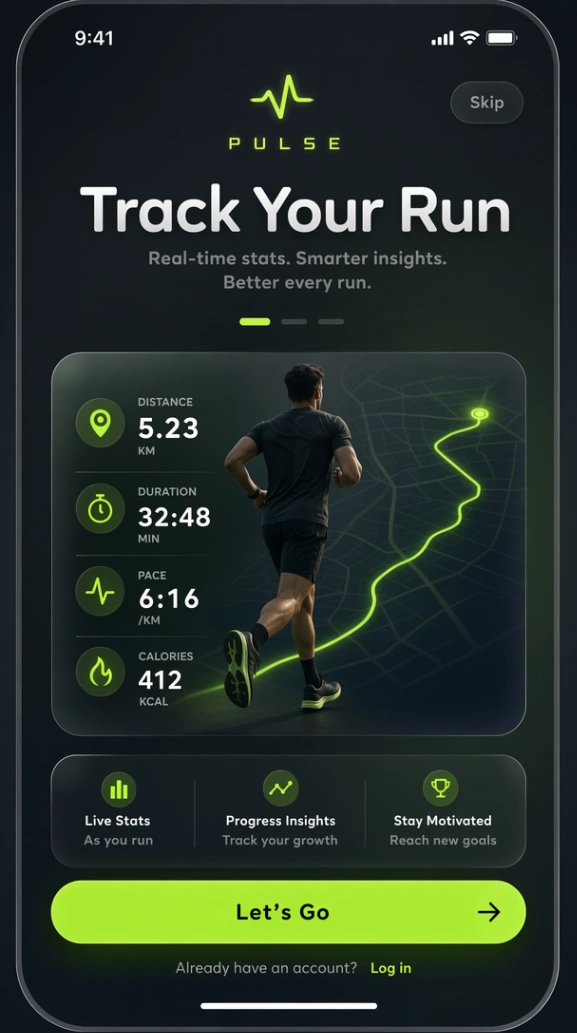
Prompt: A sleek mobile app onboarding screen for a fitness app called "PULSE". Muted dark theme with neon green accents. The top title reads "Track Your Run". Clean rounded sans-serif font, soft drop shadows, perfect legibility. The background features a subtle glassmorphism effect. No real-world branding.
Why it works: If you are designing for products or software, treating the prompt like a strict design brief works wonders. Specifying the UI elements ("glassmorphism", "drop shadows", "sans-serif font") tells GPT Image 2 to switch from a photographic mindset to a graphic design mindset.
Frequently Asked Questions (FAQ)
1.Does prompt length matter in GPT Image 2?
As discovered in our tests, sequence matters more than length. GPT Image 2 gives the highest visual weight to the first few words. Keep your core subject at the beginning rather than writing unnecessarily long paragraphs.
2.How do I stop GPT Image 2 from messing up text?
Always enclose the exact words in double quotes (e.g., "YOUR TEXT") or placed after a colon, and provide clear spatial instructions, like "centered at the top," to prevent the AI from hallucinating random letters.
3.What are the best use cases for GPT Image 2?
While GPT Image 2 is highly versatile for general art generation, its quality-first architecture makes it an absolute powerhouse for commercial and professional workflows. Based on our extensive testing, the model truly shines in the following scenarios:
- E-Commerce & Product Photography: Generating brand-consistent product shots with accurate packaging labels, perfect logo reproduction, and highly realistic material physics (such as frosted glass or brushed metal).
- Rapid UI & UX Prototyping: Creating pixel-perfect mobile onboarding screens, software dashboards, and wireframes with correct layout hierarchies and highly legible interface text, allowing designers to pitch concepts without writing code.
- Data Visualization & Marketing: Rendering infographics, posters, and dense social media carousels. It handles complex, text-heavy layouts and multilingual characters (including CJK scripts) cleanly on the first try.
- Editorial Lifestyle Imagery: Producing studio-quality, photorealistic shots with believable natural lighting, accurate skin textures, and cinematic compositions that do not feel "AI-generated."
4.Why choose GPT Image 2 over older models?
Older AI image generators often prioritized speed or stylized aesthetics, leading to prompt drifting and unpredictable outputs. GPT Image 2 introduces a "quality-first" architecture that solves the most frustrating pain points for creators:
- Unprecedented Text Rendering: It has fundamentally solved the classic "AI text hallucination" problem. It can reliably render dense paragraphs, tiny typography, and exact spelling without garbling characters or breaking word spacing.
- World-Aware Physics: Instead of simple pattern matching, the model understands how the real world works. It accurately calculates soft bounce lighting, material textures, and object occlusion in complex, multi-object scenes.
- Extreme Prompt Adherence: It actually listens to your constraints. If you use our structured prompt framework, the model will not ignore your specific camera angles, nor will it invent unwanted details. It gives you agency-level control over the final artifact.
Conclusion
Thank you so much for joining me on this comprehensive journey. I truly hope this GPT Image 2 Prompt Guide, built upon our extensive real world testing, equips you with the confidence to generate breathtaking visuals. By mastering the nuances of lighting setups, spatial vocabulary, and structured editing, you transition from simply generating images to truly directing them.
The landscape of AI is continuously evolving, and so are our techniques. I warmly encourage you to try these examples and observe how the model responds to your unique creative tweaks. For more tested tutorials, daily prompt inspirations, and industry updates, please feel free to explore the rest of GPTImg2AI.com. I wish you boundless creativity and spectacular success in all your future projects with GPT Image 2!
Read More
300+ GPT Image 2 Prompts & Examples (Copy & Paste)
(About the Author: The team at gptimg2ai.com consists of dedicated AI researchers and digital design specialists. The methodologies and prompts shared in this guide are based on the latest 2026 best practices and over 100 hours of real world testing with OpenAI's vision models.)